
You’re sitting in a coworking space, your laptop is open, you’re on the Wi-Fi, and three feet to your left is someone you’ve never met, on the same network, with a device you’ve never seen.
That arrangement is the whole point of coworking, but it’s also the part nobody talks about at the tour.
How safe your data is on a coworking network depends on two things: how well the operator has set up the infrastructure, and what you do on your end. Unlike a corporate office with a dedicated IT team or a home router you control, a coworking Wi-Fi network is open to anyone with a membership or a day pass. And across 9,135 U.S. locations and 164 million square feet of flex workspace, that’s a lot of shared infrastructure that members never think to ask how it’s configured.
This guide covers what to ask operators before you sign up, how to protect yourself on any shared network, and how your risk level changes depending on the type of workspace you’re using.
If you read nothing else:
- Ask whether the network uses individual credentials or a shared password. A shared password means every device on the network can potentially see traffic from every other device.
- Use a VPN every time you connect. It encrypts your traffic regardless of how well (or poorly) the operator has set up the network.
- Match the task to the network. Email and documents are fine on secured coworking Wi-Fi with a VPN. Financial accounts and sensitive client data deserve your phone’s cellular hotspot or a wired connection.
- The more private your workspace type, the lower your exposure. Hot desks and day passes carry the highest network risk; private offices with dedicated VLANs carry the lowest.
Locked Doors Don’t Secure Your Data
Coworking spaces are professionally run environments — locks on the doors, cameras in the hallways, front desk staff who check your name. But network security doesn’t work like physical security. A badge that gets you past the front desk doesn’t mean your traffic is isolated from the person at the next desk.
The cost of getting this wrong is concrete. The global average for a single data breach now costs $4.44 million, according to IBM’s 2025 Cost of a Data Breach Report. The vectors are familiar to anyone in a coworking space: shared Wi-Fi, weak authentication, and devices sitting on the same unsegmented network.
What to Ask Before You Sign Up
 The best time to evaluate a coworking space’s network security is before you’re paying for it. During your tour or trial day, these five questions will tell you more than any amenity list:
“How is the Wi-Fi authenticated — shared password or individual credentials?”
A shared password means every person on the network has the same key and can inspect traffic from other devices on the same network. It’s the digital equivalent of giving every member the same front-door key and hoping nobody makes a copy.
What you want to hear: individual login credentials per member, ideally through WPA2-Enterprise, which assigns a unique authentication to each device. Some operators use captive portals (the login page that pops up in your browser) tied to your membership account, which is a reasonable middle ground, though not as strong as certificate-based authentication.
What should make you pause: “The password is on the whiteboard in the kitchen.” If that’s the security model, keep walking.
“Is member traffic segmented from guest traffic and from other members?”
Network segmentation means your device can’t see or communicate with devices belonging to other members. A well-run coworking space uses VLANs (virtual local area networks) or similar technology to isolate each member’s traffic, or at a minimum separates the guest network from the member network.
One check you can run yourself on a trial day: open your device’s network settings and look at the list of discoverable devices. If you can see a dozen laptops and printers that aren’t yours, segmentation is either absent or poorly configured.
“How often is the network firmware and hardware updated?”
Routers and access points have vulnerabilities, just like any other software. An operator who says “we leave that to our ISP” is telling you nobody is actively managing the network.
What you want: a managed network with regular firmware updates, either handled in-house or by a dedicated IT provider.
“Is there a wired ethernet option?”
Wired connections are inherently harder to intercept than wireless ones. Not every coworking space offers them but if you regularly handle sensitive client data, financial records, or legal documents, a wired option is worth asking about. Some private offices and dedicated desks come with ethernet ports but hot desks almost never do.
“What happens if there’s a security incident on the network?”
You’re looking for a real answer here, not a blank stare. A responsible operator has an incident response process that includes notifying affected members, isolating compromised devices, and documenting what happened. If the community manager doesn’t know who handles network issues, that’s your answer.
Your Security Checklist: What to Do, What to Skip, and Where It Matters Most
Even the best-run coworking network can’t protect you from your own habits. This checklist covers what to do and what to avoid, with notes on which workspace types make each item most critical.
Use a VPN every time
A VPN encrypts your traffic between your device and the VPN server, making it unreadable to anyone else on the network.
If your employer provides a corporate VPN, use it. If you’re a freelancer, a reputable commercial VPN (NordVPN, ProtonVPN, ExpressVPN) costs $3–$13 a month, which is less than a single day pass at most coworking spaces.
One thing to know: VPNs are not invulnerable. Zscaler research found that 56% of companies using a VPN experienced a cyberattack through VPN vulnerabilities. That’s largely an enterprise-configuration problem, not a consumer-VPN issue, but it’s a reminder that a VPN is a layer of defense, not a magic cloak.
Most critical on: hot desks and day passes, where network segmentation is least likely. Still good practice in private offices, but the exposure is lower.
Turn off auto-connect, AirDrop, and file sharing
Your laptop remembers every Wi-Fi network it has ever joined and will reconnect to any of them automatically. Disable auto-connect for any network you don’t control and turn off AirDrop, Nearby Share, and public file-sharing while you’re at it. If you’re not actively using a Bluetooth device, turn Bluetooth off, as it’s a secondary attack surface most people forget about.
Most critical on: hot desks and open coworking floors, where you’re surrounded by unknown devices. Less urgent in a private office with a closed door, but still good hygiene.
Verify the network name before you connect
This one matters more than it sounds. Attackers set up fake networks with names that mimic legitimate ones, like “WeWork_Lobby” instead of “WeWork-Member” or “Industrious_Guest” sitting right next to the real “Industrious-Guest.” This is called an evil twin attack, and it’s trivially easy to execut: a $30 device and five minutes of setup is all it takes. If you’re not sure which network is real, ask the front desk.
Most critical on: day passes and first visits, when you don’t yet know the space’s legitimate network name.
Don’t reuse your coworking Wi-Fi password anywhere else
If the coworking network is compromised, that password is compromised. Credential stuffing (where attackers take a stolen password and try it across dozens of services) accounted for 22% of confirmed breaches in the latest Verizon DBIR. One shared password shouldn’t unlock your email, your bank, and your client portal.
Match the task to the network
Everyday tasks like email, documents, and web browsing are fine on a secured coworking network with a VPN running. For anything involving financial data or confidential client information, switch to your phone’s cellular hotspot, as it’s encrypted between your device and the tower, and you control the network. That switch takes 30 seconds and eliminates the shared-network variable entirely.
Log out when you’re done
An open session on a shared network is an unlocked door in a building full of strangers. Closing the browser tab isn’t the same as ending the session — banking, client portals, anything with financial or personal data needs an actual logout, not just a closed window.
Keep your devices updated
That system update notification you’ve been dismissing for two weeks? It’s usually patching a vulnerability that attackers already know how to exploit. Delayed updates are one of the most common ways endpoints get compromised and one of the most preventable.
Most critical on: any workspace type. An unpatched device is vulnerable regardless of the network underneath it.
Don’t plug in USB drives or cables you find lying around
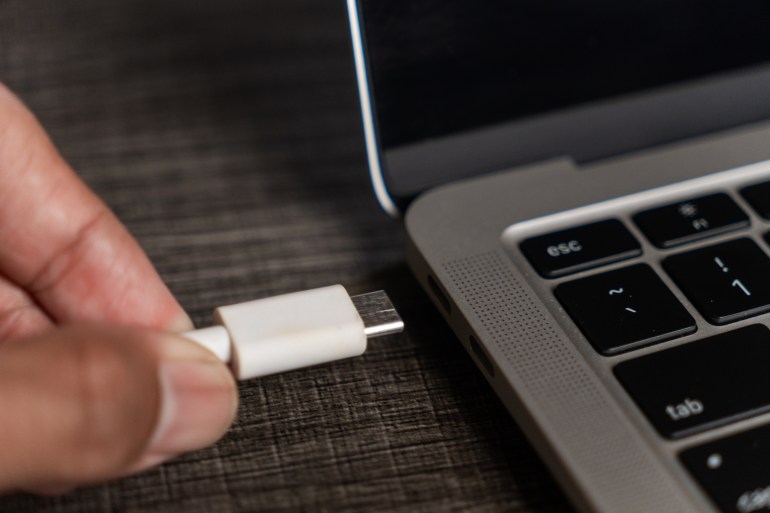 This sounds paranoid until you learn that USB-based attacks are a real and documented vector. A charging cable left on a shared desk is probably just a charging cable. But “probably” isn’t a security policy.
How Workspace Type Affects Your Risk
Not all coworking setups carry the same exposure. The checklist above applies everywhere, but the urgency varies by how much isolation the operator provides.
| Workspace Type | Network Isolation | Typical Authentication | Your Exposure Level | Best For |
| Hot desk (open workspace) | Usually none — shared VLAN with all other open members | Shared password or captive portal | Highest — you’re on the same network segment as everyone else | Low-sensitivity work; always use VPN |
| Dedicated desk | Sometimes segmented; depends on operator | May have individual credentials | Moderate — more consistent environment, but still shared infrastructure | Regular coworking with moderate data sensitivity |
| Private office | Often on a separate VLAN; some offer dedicated ethernet | Individual credentials more common; may have private SSID | Lower — physical and sometimes logical separation | Sensitive work; client calls; financial data handling |
| Meeting room | Rarely isolated; treats you as a guest or member on the main network | Shared password or session-based login | Moderate to high — short sessions, unfamiliar network | Short-term use; avoid accessing sensitive accounts |
| Day pass / drop-in | Lowest priority for segmentation; usually guest-level access | Shared password or open captive portal | Highest — transient access with minimal vetting | Casual work; avoid sensitive tasks without VPN |
The pattern: the more permanent and private your membership, the more likely the operator has invested in isolating your traffic. Day passes and hot desks sit at the other end of that spectrum.
Compare coworking options on CoworkingCafe. Filter by workspace type, amenities, and location to find spaces that match your security needs, not just your budget.
A Note for Workplace Decision-Makers
If you’re evaluating coworking memberships for a distributed team, the stakes multiply. One employee on an unsegmented network with an unpatched laptop and no VPN is a single point of failure that can expose your entire organization. Before approving a coworking provider for team use, add network security to your evaluation criteria alongside price, location, and amenities. Specifically:
Ask for network architecture documentation. You want to see how member traffic is segmented, what authentication method is used, who manages firmware updates, and whether the operator has an incident response process. If the phrase “network architecture documentation” gets a confused look, that tells you everything you need to know.
Require a corporate VPN on any coworking network. Non-negotiable for team use, regardless of the operator’s infrastructure quality. The VPN is your organizational baseline; the operator’s segmentation is an additional layer.
Mandate device update compliance. If your team uses coworking spaces regularly, enforce OS and browser update policies through your MDM (mobile device management) system.
Benchmark the operator against the workspace-type table above. If your team is on hot desks with shared passwords, your exposure is at the highest level regardless of everything else you do. Private offices with individual credentials and dedicated VLANs are the minimum for teams handling sensitive data. The cost difference between a hot desk membership and a private office is significant, but so is the cost of a breach.
Search CoworkingCafe for spaces that meet your team’s security requirements. Filter by workspace type to compare private offices and dedicated desks against hot desk options, and bring the five operator questions from this guide to every site visit.
FAQ
Is coworking Wi-Fi less secure than coffee shop Wi-Fi? Coworking Wi-Fi is typically more secure than a coffee shop, since most spaces require some form of authentication rather than running a fully open network. But “better than a coffee shop” is a low bar. The right comparison is your home network or a corporate office, and most coworking Wi-Fi falls well short of either.
Do I really need a VPN if the coworking space has WPA2? WPA2 protects the connection between your device and the router from outside eavesdroppers. It does not protect you from other authenticated users on the same network, who can potentially see your unencrypted traffic. A VPN adds an encryption layer that protects your data from everyone.
What about WPA3? WPA3 improves on WPA2 with stronger encryption and better protection against brute-force attacks. It also offers “individualized data encryption,” which means traffic between your device and the router is encrypted in a way that other users on the same network can’t decrypt, even with the shared password. If your coworking space uses WPA3, that’s a meaningful upgrade.
Is it safe to print on a shared coworking printer? Print jobs can be intercepted, and many networked printers store copies of recent documents. If you’re printing anything confidential, use your own portable printer or ask the operator if their print system supports encrypted print release (where the job doesn’t print until you authenticate at the machine).
Should I use my phone’s hotspot instead of coworking Wi-Fi? If you’re doing something genuinely sensitive (accessing financial accounts, transferring legal documents, logging into client systems) your phone’s cellular hotspot is a reasonable alternative. Cellular data is encrypted between your phone and the tower, and your hotspot network is controlled by you. The trade-off is speed and data usage, but for short, high-sensitivity tasks, it’s a solid option.
The Bottom Line
The coworking market grew to 9,135 locations and 164 million square feet because shared workspaces solve real problems for real businesses. But the “shared” in shared workspace extends to the network, and that’s where most people stop paying attention.
Ask the right questions before you sign up. Use a VPN. Keep your devices updated. Don’t connect to networks you haven’t verified. And if you’re making coworking decisions for a team, treat network security like any other infrastructure requirement, because that’s what it is.
Search CoworkingCafe for coworking spaces that fit your work style and security needs. Browse by city, workspace type, and amenities, and when you visit, ask about the Wi-Fi before you ask about the coffee.